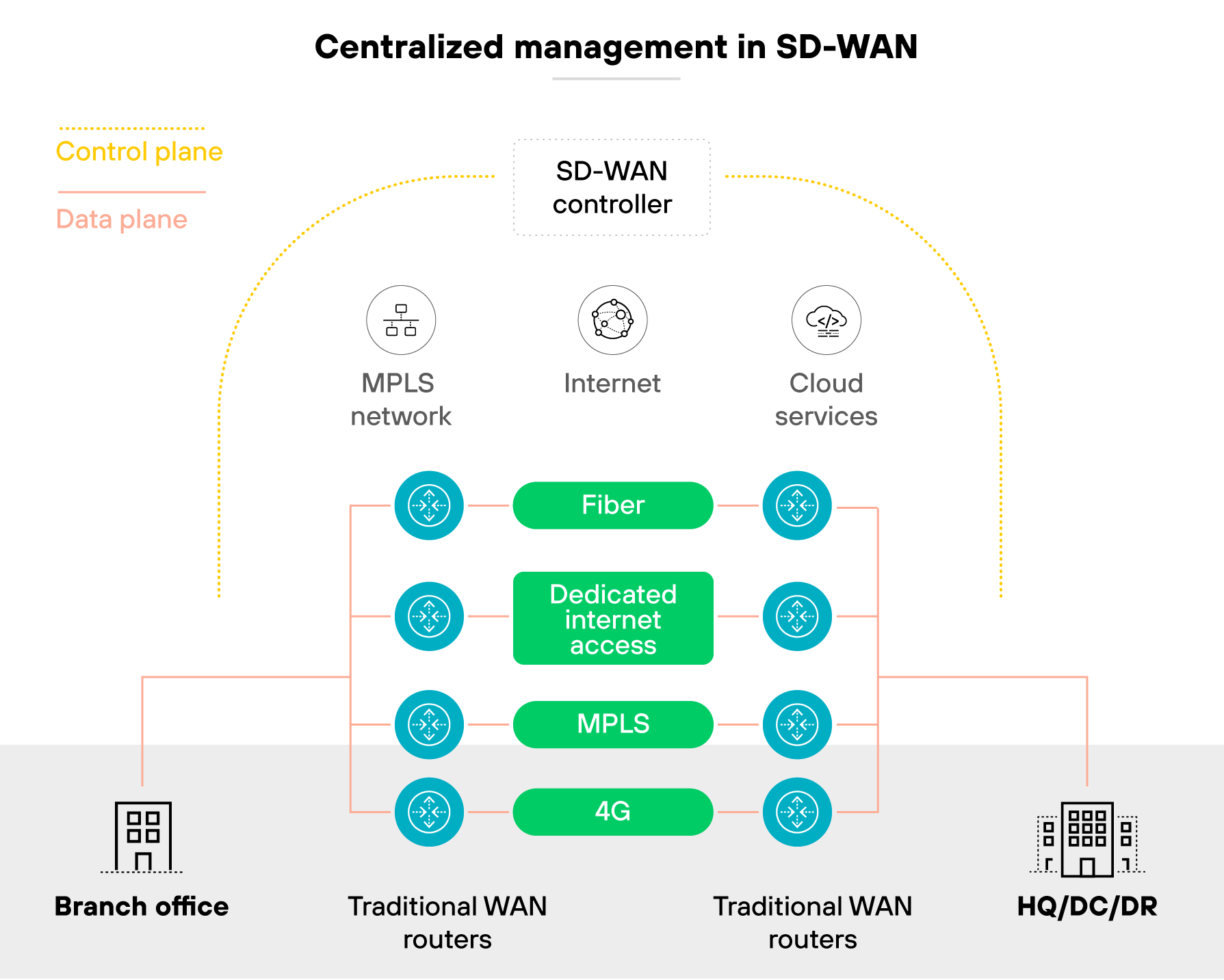
SD-WAN automation is the use of software, APIs, and scripts to control and manage SD-WAN functions without manual input.
It enables repeatable configuration, deployment, and policy enforcement. SD-WAN automation also reduces the risk of human error and increases operational consistency across sites.
What does SD-WAN automation actually mean?
The term is often used loosely. It's usually framed as a way to streamline operations or reduce manual effort. But without specifics, that doesn't mean much.
In practice, SD-WAN automation refers to the use of software, scripts, or APIs to perform tasks that would otherwise require human input. This includes provisioning, configuration, policy updates, monitoring, and issue response.
Which means:
Automation replaces repetition with logic.
It often starts with zero-touch provisioning. Devices come online automatically. Templates apply baseline configurations. Updates follow controlled workflows instead of ad hoc edits.
But it doesn't stop there.
Teams also use automation for post-deployment tasks. For example: a performance threshold is breached. A workflow triggers. A fix is applied. An incident is logged or closed—without anyone logging in.
Some organizations push changes through CI/CD pipelines. Others use ChatOps or AIOps to detect anomalies or trigger diagnostics from a shared console.
Important:
Automation isn't the same as centralized management. Centralized tools still rely on manual steps. Automation removes them. A controller may enable automation—but it doesn't equal it. (More on that later in the article).
What parts of SD-WAN can you automate today?
SD-WAN automation spans the full operational lifecycle. From day-zero provisioning to post-deployment monitoring, many tasks can now be handled programmatically.
Here's how it breaks down:
| Stage |
What can be automated |
| Provisioning |
Zero-touch provisioning (ZTP) brings up new sites without manual setup. |
| Configuration |
Templates and APIs apply consistent settings to devices, interfaces, and overlays. |
| Policy enforcement |
GitOps workflows push changes across environments. Policy updates follow versioned rules. |
| Monitoring and alerting |
APIs can stream telemetry. Workflows can trigger alerts or self-healing steps. |
| Lifecycle management |
Firmware upgrades, rollback, and certificate rotation can follow automated schedules or change windows. |
| Troubleshooting |
Real-time diagnostics and queries can be triggered remotely, with logs and status auto-collected. |
Why does this matter?
Because automating each of these steps reduces manual drift. It also ensures consistent behavior across branch sites.
However:
Not everything is easy to automate.
Multi-vendor environments introduce complexity. Platform APIs vary in depth and quality. Exception handling can still require custom logic. And workflows often need guardrails to avoid triggering unintended changes.
That's why most organizations start with provisioning and config templates. Then build toward automation in monitoring, policy enforcement, and day-two operations.
It's progressive. But it works best when the scope is clear from the start.
Who actually uses SD-WAN automation—and how?
Different teams use automation for different reasons. Not every role touches the same part of the workflow. And not all automation happens inside the SD-WAN platform itself.
Here's how it breaks down:
NetOps teams use automation to handle deployment and maintenance.
NetOps relies on zero-touch provisioning to bring up new sites. Push config updates through templates or API calls. And use automated health checks to catch issues early.
DevOps and platform teams integrate SD-WAN into broader infrastructure workflows.
They connect controller APIs to CI/CD pipelines. Use tools like Terraform or Ansible to apply network changes. And track config versions just like application code.
Security teams focus on policy consistency and lifecycle events.
They automate policy propagation across sites.
Crucially, this now extends to SASE: automating the SD-WAN edge triggers updates in the security cloud, ensuring that ZTNA and firewall policies are synchronized immediately.
Security analysts rotate certificates using repeatable processes. And they track changes through logs or automated approvals.
Support teams use ChatOps to simplify diagnostics.
They run checks from inside messaging platforms. They pull logs, check tunnel status, or trigger common actions without switching tools.
Note:
All of this depends on how the organization is structured. The roles may shift. But the goal is the same: replace manual steps with controlled, auditable workflows.
| Further reading:
What tools and methods are used in SD-WAN automation?
Automation relies on tools that can control SD-WAN functions programmatically.
Most platforms support APIs to enable provisioning, monitoring, and configuration changes without manual input.
Infrastructure-as-code tools are commonly used.
These allow teams to define network changes in code and apply them through repeatable workflows. They also support versioning and rollback.
Automation platforms offer orchestration across environments.
They help standardize how templates are applied, how updates are triggered, and how policies are enforced. These platforms are often used in multi-vendor networks to reduce complexity.
CI/CD pipelines are used to manage change.
Configuration updates can be tested, reviewed, and deployed using structured workflows already familiar to DevOps teams.
There's also growing use of event-driven automation.
Some teams rely on chat-based commands to trigger diagnostics or common actions. Others use systems that detect performance issues and launch workflows automatically.
Essentially, these methods extend what the SD-WAN controller can do. They make operations faster, more consistent, and easier to scale across environments.
Where does SD-WAN automation go wrong?
Automation helps until it doesn't. Implementation issues are common. And most aren't caused by the tools.
Here's where things usually break:
- Manual overrides cause config drift: Someone bypasses the workflow. A change goes in by hand. Now automation and reality are out of sync.
- Poor template design leads to sprawl: Too many variations. Too little structure. It becomes hard to scale or troubleshoot.
- Over-automation creates blind spots: Tasks run without checks. There are no safety controls. When something breaks, no one notices until users do.
- Shadow tooling causes conflict: NetOps builds one set of workflows. DevOps builds another. Neither team has full visibility.
- Multi-vendor environments complicate logic: Different APIs. Different behaviors. Different expectations. Standardizing anything becomes a challenge.
- No rollback means higher risk: Changes go out. But there's no clean way to reverse them. Fixing issues takes longer than making them.
- The GUI becomes a crutch: Initial setup happens manually. That creates inconsistency from the start. Automation inherits the problem instead of solving it.
It's worth noting that these aren't edge cases. They're common. And they're preventable with clear scope, clean design, and operational discipline.
Should you even automate your SD-WAN operations?
Not every team needs full automation. But most can benefit from at least some.
Here's how to figure out where you stand:
Managing more than ten sites?
Automation helps. Manual config doesn't scale. Neither does troubleshooting.
Working across multiple SD-WAN vendors?
Automation helps. Unified workflows reduce complexity. And mistakes.
Running repeatable config tasks day to day?
Automation helps. Scripts do the same job faster. And more reliably.
Still using CLI for everything?
Start small. Automate zero-touch provisioning. Or build reusable templates.
Relying on a fully managed SD-WAN provider?
Automation might not be your job. Focus on visibility and policy instead.
This isn't all or nothing. You don't need an automation framework to start. You just need a repeatable task. Then build from there.
What's the difference between SD-WAN automation and centralized management?
The two are often confused. But they solve different problems.
Centralized management means logging into a controller. You use a UI to make changes. You select a template. You push it to a site. Then you repeat.
Automation means those same changes happen programmatically. A script runs. An API call triggers the update. No one logs in. No one clicks a button.
Here's the difference:
Let's say you need to update routing parameters across 50 branches. With centralized management, you open the console and push the change to each site. With automation, a pipeline does it for you. Same logic. Same outcome. Less manual effort.
Remember that centralized management is helpful. But it still depends on human input. Automation, on the other hand, removes that dependency. It builds repeatable logic that runs with or without someone watching.
That's the distinction. And it matters at scale.
eBook: Zero Trust Branch for SD-WAN for Dummies
Learn how SD-WAN architecture extends to branch security and SASE.
Download eBook
SD-WAN automation FAQs
Start by identifying repeatable tasks like provisioning or config updates. Then use built-in APIs or automation tools to replace one manual step—such as zero-touch provisioning or template deployment—with a script or workflow.
Yes. Most modern SD‑WAN platforms support automation through native APIs. You can automate tasks like provisioning, monitoring, and policy updates without replacing the controller or underlying infrastructure.
Check for documented APIs, CLI access, or integration support with automation tools. Platforms that support programmatic workflows will typically expose these interfaces for tasks like provisioning, telemetry, and config changes.
Not always. Many tools offer low-code environments or prebuilt workflows. But basic scripting or understanding APIs helps teams customize logic, troubleshoot issues, and scale beyond out-of-the-box use cases.
Avoid skipping rollback plans, relying solely on GUIs, or automating inconsistent templates. Start small, validate each step, and document workflows to prevent conflicts, blind spots, or untracked changes.